Appointment Confirmation Email: Templates, Timing and Examples
November 13, 2026
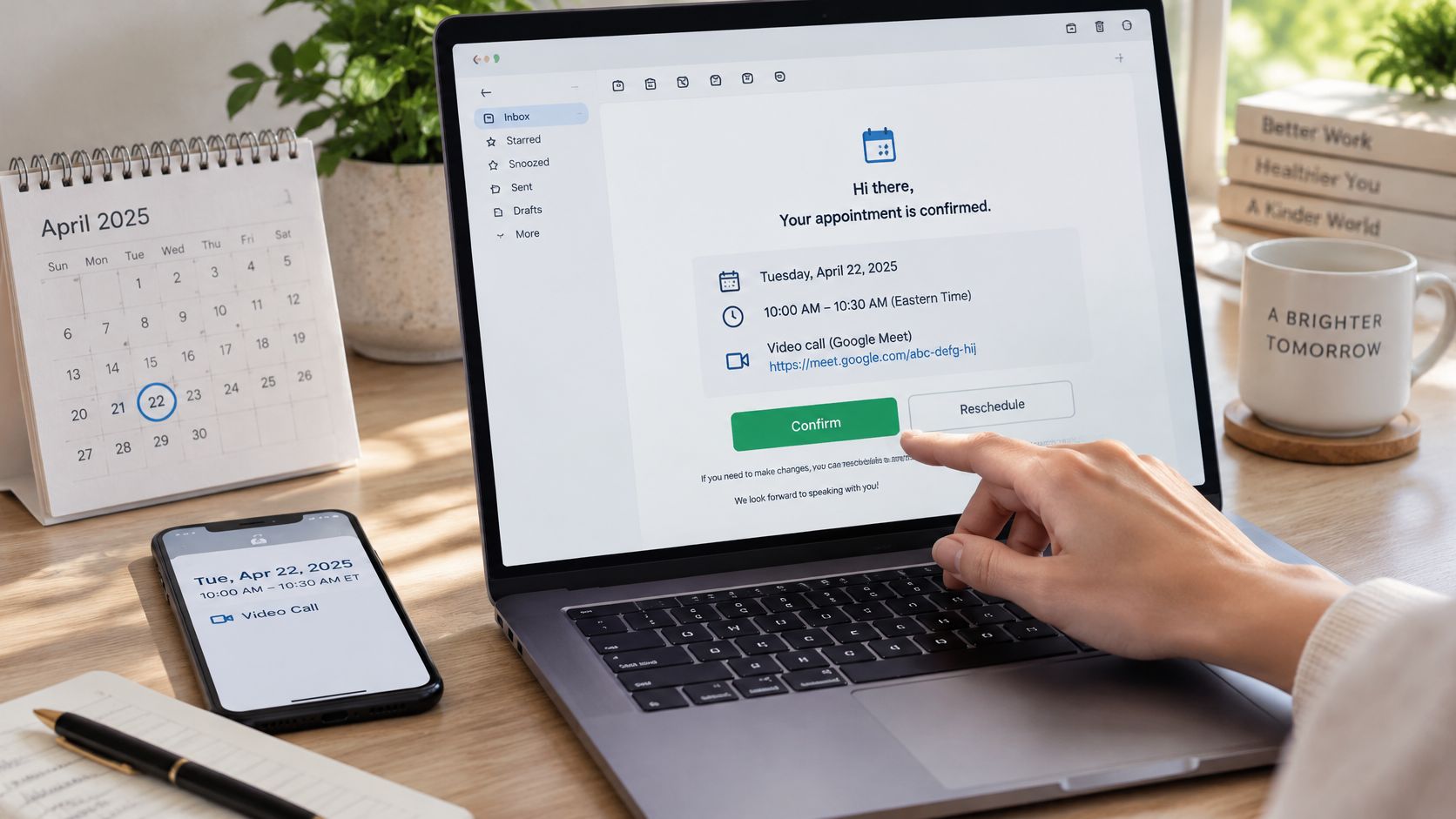

An appointment confirmation email goes out within minutes of a booking and puts the date, the clock time with its time zone, the place or video link, and a one-click way to confirm, move or cancel in writing. It matters because reminder systems work: a 2016 meta-analysis of clinic text notifications found no-shows of 15% with notifications versus 21% without (National Center for Biotechnology Information). The confirmation is the record every later reminder repeats, so get it right first.
Two emails, two jobs. The confirmation fixes the facts and opens a window to correct them. The reminder protects attendance days later. Blur the two and you send one email three days out, lose the correction window, then grade yourself on open rate.
Pull eight facts out of the booking before you type a word. If one is missing, the appointment is not confirmed yet. It is a guess with a calendar entry attached.
| Field | Why it is there | Example |
|---|---|---|
| Date and clock time with zone | Stops a wrong-hour arrival | Tue 14 Apr 2026, 10:00 AM ET (UTC-4) |
| Duration | Sets how long to hold | 30 minutes |
| Video link or address | Gets them there without a login | A link that opens without a login screen |
| Attendee names | Confirms the right people | Alex Rivera, owner, and Jordan Lee |
| Purpose | Shows the invite is real | 30-minute discovery call |
| Prep | Avoids a wasted slot | Bring last month's invoice |
| Confirm, reschedule, cancel | One-click correction | Reply YES or use the reschedule link |
| Cancel cutoff and fallback contact | Recovery if the link fails | 24-hour notice, direct phone number |
The confirmation gives the customer a durable record and opens a window to catch a wrong slot, zone or attendee while there is still time to fix it. Every later email repeats that record in shorter form and adds nothing new.
In the 2016 review cited above, pooled attendance across 13 studies was 67% with notifications versus 54% without, a risk ratio of 1.23. Across 16 studies, no-shows ran 15% versus 21%, a risk ratio of 0.75. The caveat: every included study used text messages, not email. The review shows a reminder system works, not that an email alone produced that gap.
Working rule: the full record leaves within minutes of the booking. Reminders later repeat it. They never repair it.
A virtual receptionist covering a shared inbox needs all eight fields on the same thread, so a question does not restart the booking from a blank reply.
A subject line has one job: let the recipient find the message by searching the date. Build it as decision plus date: Confirmed, Action needed, New time or Cancelled, then day, clock time and zone.
Subjects that fail: "Meeting" names nothing searchable, "Reminder" describes your process, and "Important!!!" trains people to ignore the next one.
Swap the [bracketed] parts and keep the labeled lines; they make the email scannable on a phone.
1. Standard booking (call or video meeting)
Subject: Confirmed: 30-min call Tue 14 Apr 2026, 10:00 AM ET
Hi [First name],
Your call with [Your name] is booked.
When: Tue 14 Apr 2026, 10:00 AM ET (UTC-4), 30 minutes
Where: [Video link], no login needed
Who: [Attendee 1], [Attendee 2]
Prep: [What to bring or review]
Reply YES to confirm, or use [reschedule link]. Your slot stays held until you pick a new one.
To cancel, give us 24 hours' notice. If a link fails, call [phone].
Didn't book this? Don't click the link. Call us at [published number].
[Name], [Business]
2. Doctor, dental or medical appointment
Subject: Appointment confirmed: Thu 16 Apr, 2:00 PM at [Clinic name]
Hi [First name],
Your appointment at [Clinic name] is confirmed.
When: Thu 16 Apr 2026, 2:00 PM CT. Please arrive at 1:45 PM to check in.
With: [Provider name]
Where: [Street address, suite, parking note] or [telehealth link]
Bring: photo ID and insurance card
Reply C to confirm or R to reschedule, or call [front desk phone]. Please give 24 hours' notice to cancel.
Didn't book this? Call [published number] and don't use the links above.
[Clinic name] front desk
Keep health details out of the email: name, provider, time, place and what to bring are enough. The reason for the visit and anything clinical belong in a secure patient portal, and US practices should check how HIPAA applies to their reminders. This is general guidance, not legal or medical advice. Train a dental receptionist or front-desk assistant to the same minimum.
3. Cross-zone interview
Subject: Interview confirmed: Wed 15 Apr, 2:00 PM ET / 1:00 PM CT
Hi [Candidate name],
Your interview for [Role] is confirmed.
When: Wed 15 Apr 2026, 2:00 PM ET / 1:00 PM CT (your time), 45 minutes
Where: [Video link]
Interviewers: [Name, title], [Name, title]
Please reply to confirm the time in your zone, or use [reschedule link] to move it.
[Name], [Company]
4. In-person visit
Subject: You're booked: Thu 16 Apr, 9:30 AM at 120 Main St
Hi [First name],
Your visit is booked.
When: Thu 16 Apr 2026, 9:30 AM, about 45 minutes
Where: 120 Main St, [Suite], [City]. [Parking or entrance note]
Arrival: 10 minutes early, check in at the front desk
Cancel or move by Wed 15 Apr, 9:30 AM using [link] or by calling [phone].
[Name], [Business]
5. Reschedule
Subject: New time confirmed: Fri 17 Apr, 11:00 AM ET (was Thu 3:00 PM)
Hi [First name],
Your appointment has moved. Your Thursday 3:00 PM slot is released.
New time: Fri 17 Apr 2026, 11:00 AM ET (UTC-4), 30 minutes
Where: [Same video link / address]
The invite is updated. If the old event still shows, delete it.
[Name], [Business]
6. Unconfirmed slot (action needed)
Subject: Action needed: confirm Tue 14 Apr, 10:00 AM ET call
Hi [First name],
We are holding Tue 14 Apr 2026, 10:00 AM ET (UTC-4) for your [call type], but we have not had a confirmation yet.
Where: [Video link], 30 minutes
Reply YES to keep it, or use [reschedule link] to choose another time.
No reply by Mon 13 Apr, 5:00 PM ET releases the slot.
[Name], [Business]
7. Cancellation
Subject: Cancelled: Tue 14 Apr, 10:00 AM ET call
Hi [First name],
Your Tue 14 Apr 2026, 10:00 AM ET call is cancelled and the slot is released.
Book a new time: [booking link]
[Name], [Business]
On the receiving end, repeat the time and zone in your own words so a mismatch surfaces on the spot.
8. Reply confirming an appointment
Subject: Re: Confirmed: 30-min call Tue 14 Apr 2026, 10:00 AM ET
Hi [Name],
Thanks, confirmed for Tuesday 14 April at 10:00 AM ET (9:00 AM my time in Chicago). I will join from the video link and bring last month's invoice.
[Your name]
Ten moves, each closing a specific failure.
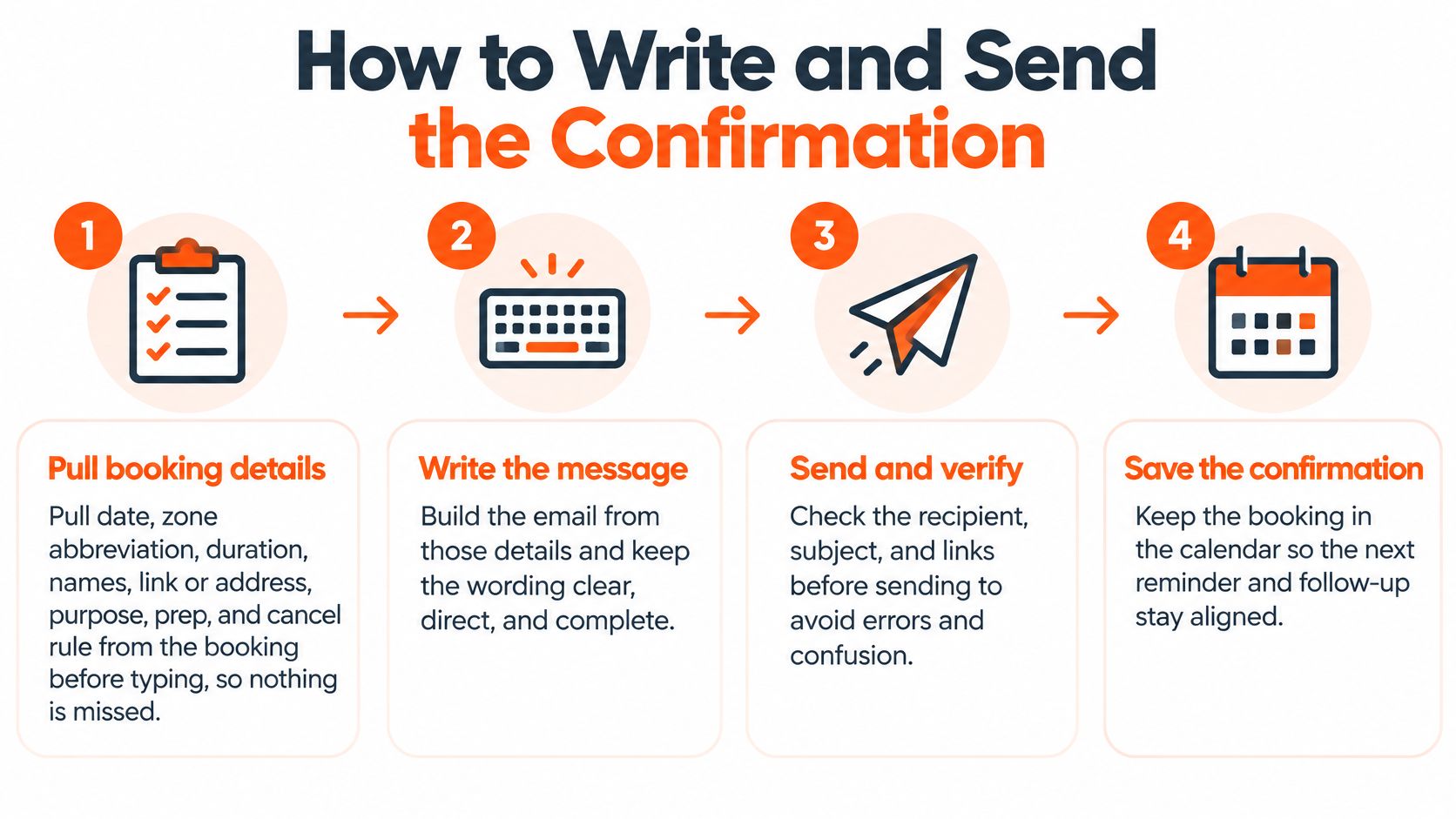
A 2023 systematic review and meta-analysis of 61 studies on behavioral interventions against missed appointments found reminder timing ranged from two hours to two weeks before the visit, and the largest group of studies, 16, sent reminders one to three days ahead. In one US study in that review, an online portal with automated rescheduling cut non-attendance by 1.3 percentage points, a 38% relative reduction (PubMed Central). Build the change path into the email: a person who can move a slot in two clicks moves it instead of skipping it.
Text works the same way. One studio's salon SMS communication workflow sends a confirmation text for every booking and uses a fixed template for phone bookings ("Your booking is confirmed for [Service] at [Time] on [Date]"). Copy the idea: one fixed template per booking type. Teams that split this work across several people find the handoff cleaner with dedicated appointment setting support that keeps one log per booking.
The zone is the field that breaks most often, and booking work is rarely single-zone. We looked at the 25 most recent appointment-setter searches opened at Virtustant between Oct 6 and Nov 13, 2026, excluding our own evergreen postings and duplicates. 24 of the 25 named a working time zone: ET in 14, CT in 5, PT in 4 and CET in 1. The remaining search asked for "US business hours." On hours, 14 of the 25 were part-time (22 hours a week or less), 5 were full-time (35 to 40 hours) and 6 did not say.
The rule for the email: print the zone every time, and print both zones whenever two people sit in different ones. Booking for an ET office from a CT desk is the normal case.
The gap between zones also moves during the year. The US and Europe change clocks on different dates, so for a few weeks the ET-to-CET gap is five hours instead of six. A 10:00 AM ET call shown across four zones:
| 10:00 AM ET on | CT | PT | CET (Madrid) | ET-CET gap |
|---|---|---|---|---|
| Tue 17 Mar 2026 | 9:00 AM CDT | 7:00 AM PDT | 3:00 PM CET | 5 hours |
| Tue 14 Apr 2026 | 9:00 AM CDT | 7:00 AM PDT | 4:00 PM CEST | 6 hours |
| Tue 27 Oct 2026 | 9:00 AM CDT | 7:00 AM PDT | 3:00 PM CET | 5 hours |
| Tue 17 Nov 2026 | 9:00 AM CST | 7:00 AM PST | 4:00 PM CET | 6 hours |
In 2026 the US changed clocks on March 8 and November 1, Europe on March 29 and October 25. A recurring meeting that crosses those weeks deserves a fresh confirmation with both zones.
On timing, a UK systematic review for the National Institute for Health and Care Research found strong evidence that the timing of reminders, between one and seven days before the appointment, has no effect on attendance. Its main recommendation is simpler: send a reminder to everyone unless there is a clear reason not to (NIHR Journals Library). Pick one day and send it every time.
| Message | When to send | Job | What it contains |
|---|---|---|---|
| Confirmation | Within minutes of booking | Durable record and a correction path | Full fields, calendar link, confirm or reschedule or cancel |
| Early reminder | One fixed day, one to seven days before (most studies used one to three) | Attendance nudge | Short repeat of time, zone and link, with the same reschedule path |
| Day-before note | 24 hours before interviews and client meetings | Last clean chance to move the slot | Time, prep, link, cancel cutoff |
| Same-day nudge | 1 to 2 hours before, only when useful | Cuts same-day misses | Time, link and a phone number only |
Three days out is a fine time to nudge someone and a terrible time to tell them where the meeting is. Until the record arrives, people book a second slot or call to ask whether the first one worked.
Send the record immediately. Spend the reminder window on attendance, not on first disclosure.
Be honest about what email alone can prove. A Cochrane review on using email to coordinate healthcare appointments and attendance reminders found no studies that met its inclusion criteria, so it could not say whether email helps (Cochrane Library). The best email-specific signal is observational. At seven Duke Medicine clinics, 58,942 patients booked 198,199 appointments with an overall no-show rate of 9.9%; after adjustment, patients enrolled in the health portal with email reminders had 1.39 times the odds of arriving (95% CI 1.22 to 1.57) (Journal of Medical Internet Research). Enrollees chose the portal themselves, so part of that gap is who signs up. You are running a sequence, not proving a channel: track confirmations, reschedules, cancellations and no-shows by send time.
When a reschedule moves an appointment, cancel the queued reminders for the old time and re-queue them against the new one. A class attendance playbook for gym owners lays out the same loop for classes: confirm right after booking with a reschedule or cancel link, send an advance reminder that asks for a reply, nudge unconfirmed bookings on the day, and offer a cancelled spot to the waitlist.
Template lists skip the owner's real question: is this worth anyone's time? Slot-at-Risk Math answers it. Every input is an example except the two no-show rates, from the 2016 review. Use your own last 90 days.
| Step | Input | Arithmetic | Result |
|---|---|---|---|
| 1. Bookings per month | Example: 200 | Given | 200 |
| 2. Slots at risk, no reminders | 21% no-show (review, no notifications) | 200 × 0.21 | 42 missed |
| 3. Slots at risk, with a sequence | 15% no-show (review, with notifications) | 200 × 0.15 | 30 missed |
| 4. Slots recovered | Difference | 42 − 30 | 12 slots |
| 5. Monthly value recovered | Example: $150 per slot | 12 × $150 | $1,800 |
| 6. Cost of a part-time appointment setter | Example: 20 h/week at the $8/hr starting rate | 20 × 52 ÷ 12 = 86.67 h × $8 | $693.33 |
| 7. Break-even | Cost ÷ value per slot | $693.33 ÷ $150 | 4.6, so 5 slots |
If your baseline no-show rate is already low, step 4 shrinks. If slots are worth more, break-even drops: at $300 a slot it is 2.3 slots a month. The 12 is not a forecast; the review measured clinics using text messages, so measure your own number for a month.
The correction window matters too. A cancelled slot you know about two days out is inventory. One you discover at 10:01 AM is lost.
Four checks separate a trusted confirmation from an invite that gets reported as spam.
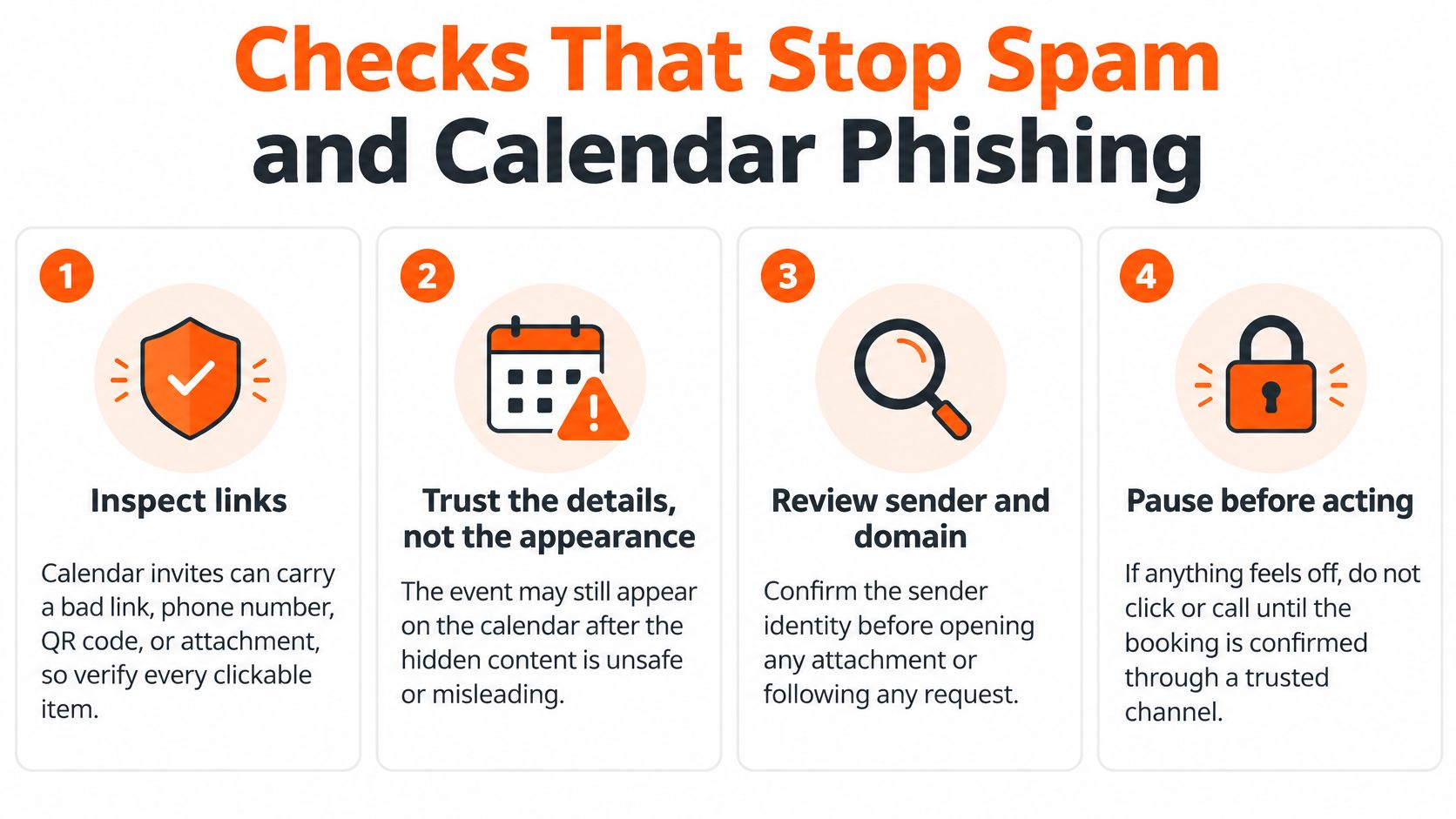
Security guidance on calendar phishing describes fake meeting invites that hide malicious links, files and phone numbers, sometimes a QR code inside an attached PDF, and notes that the lure can stay on the calendar even when the email is deleted or quarantined (Arsen). Dropping calendar files is the wrong fix. Make the invite checkable instead.
Authenticate the sending domain with SPF, DKIM and DMARC, keep a suppression list, and send from a stable address. Keep confirmations apart from promotional campaigns. Apple Mail Privacy Protection can mark an email as opened on delivery, and one email-verification company estimates reported open rates can sit 15 to 20 points above reality as a result (Verified Email). It cites no primary data, so treat the size as rough. Measure delivery plus a downstream event (confirmed, rescheduled, cancelled or attended) instead.
An ambiguous zone turns a 10:00 AM call into a 2:00 PM apology. A link behind a login stops the guest at the door. No cancel instruction converts a change of plan into a silent no-show. A promotional block mid-email buries the one line that mattered. And no human fallback leaves a stuck recipient with nothing to do but give up.
Start with one. Take the next appointment on your calendar, fill the eight fields, send it today, and log the outcome: confirmed, moved or missed.
If you can repeat that for every booking, keep it in-house. The breakpoint arrives when bookings spread across time zones, when reminder replies pile up beside the sales inbox, and when the day-before note gets skipped on the busiest week of the quarter. In a clinic, it is the front desk answering phones while the confirmations wait; a virtual medical assistant or a virtual medical receptionist covers that gap.
That is the handoff case. You can hire appointment setter capacity that owns the immediate record, the early reminder and the day-before note inside your calendar and CRM. Rates for the role start at $8/hr all-in, less than half of the $18.27 median hourly wage the Bureau of Labor Statistics reports for US receptionists (May 2025). For context, the median client-side rate for appointment setters placed in the first half of 2026 was $10.73/hr (n=22, from a cohort of 441 placement starts, January to June 2026, in our 2026 nearshore rate report). There are zero placement fees, terms are month-to-month, you get one weekly invoice per placement, and a lifetime replacement guarantee applies. You direct the day-to-day work; Virtustant handles contracts, payroll and the paperwork on the professional's side.
The vetting funnel: 100% apply, 22% clear the recruiter screen, 9% pass cognitive (IQ), skills and English testing, 3% reach a live interview, 1% are hired. You get a shortlist within 48 hours of the call; your hire can start within 72 hours of that same call. Virtustant is rated 4.9/5 on G2. For a fuller cost breakdown, read what an appointment setter costs in 2026, and if you are deciding between roles, see appointment setter vs SDR.
Before that call, settle three questions: which zones the team books in, which meeting types earn a reminder, and who is allowed to move a slot without approval. The pricing page covers the rate structure.
Want the whole sequence off your desk? Tell us the time zones you book in and the meeting types that need reminders. Book a discovery call.
Put the decision and date in the subject, such as "Confirmed: Tue 14 Apr, 10:00 AM ET". Open with the outcome, then list date, time with zone, duration, place or link, attendees, prep, and one block to confirm, reschedule or cancel, plus a fallback phone number. Send it within minutes of the booking.
Be brief and specific. Thank the person once, restate the date, time, zone and place, and say exactly how to change it. Politeness comes from making the next step easy, not from extra pleasantries.
Reply on the same thread or use the confirm link, and repeat the date, time and zone in your own words so any mismatch shows up right away. If something is wrong, say what needs to change in that same reply.
Two or three lines: confirm the time and zone, mention anything you will bring, and ask your one open question. "Thanks, Tuesday 10:00 AM ET works. I will join from the video link." is enough.
Within minutes of the booking. Reminders are separate messages; most studies in a 2023 meta-analysis sent them one to three days before the appointment.
The confirmation goes out immediately and fixes the full record and the change path. The reminder goes out later, repeats the short version and protects attendance. A reminder should never be the first time someone sees the details.
The patient's name, provider, date, time with zone, address or telehealth link, arrival time, what to bring, and how to reschedule or cancel. Leave out the reason for the visit and anything clinical; that belongs in a secure patient portal.
Reminder systems do: a 2016 meta-analysis found no-shows of 15% with text notifications versus 21% without. Email alone is less proven, since a Cochrane review found no studies that met its criteria, so measure your own results.